
[Fixed] Cinema HD Subtitles Not Loading, Out of Sync & Wrong Titles
Cinema HD Subtitles not loading:
Cinema HD is a popular app for streaming movies in multiple languages, offering pre loaded subtitles in over 200 languages. However, users often encounter issues like subtitles not loading, out of sync subtitles, or even wrong subtitles being displayed. To fix the issue of subtitles not loading, start by clearing the app’s cache, ensuring you have the latest version, or reinstalling the app. If subtitles are out of sync, adjust the timing manually through the subtitle settings or add external subtitle files to sync properly. You can also manually select the correct subtitle track if the wrong one is loaded.

For those experiencing the wrong subtitle files, Cinema HD provides options to switch between available subtitle tracks, ensuring the correct language is displayed. This app also allows for customization of subtitle fonts and sizes, making it easier to read in different conditions. By following these steps, you can fix the subtitle issues and enjoy your movie streaming experience seamlessly, with subtitles in your preferred language and perfectly synchronized with the video.
Don’t Miss:
How to Use Subtitles in Cinema HD with MX Player & VLCHow to Add Subtitles on the Cinema HD ?
How to Add and Customize Subtitles on Cinema HD APK
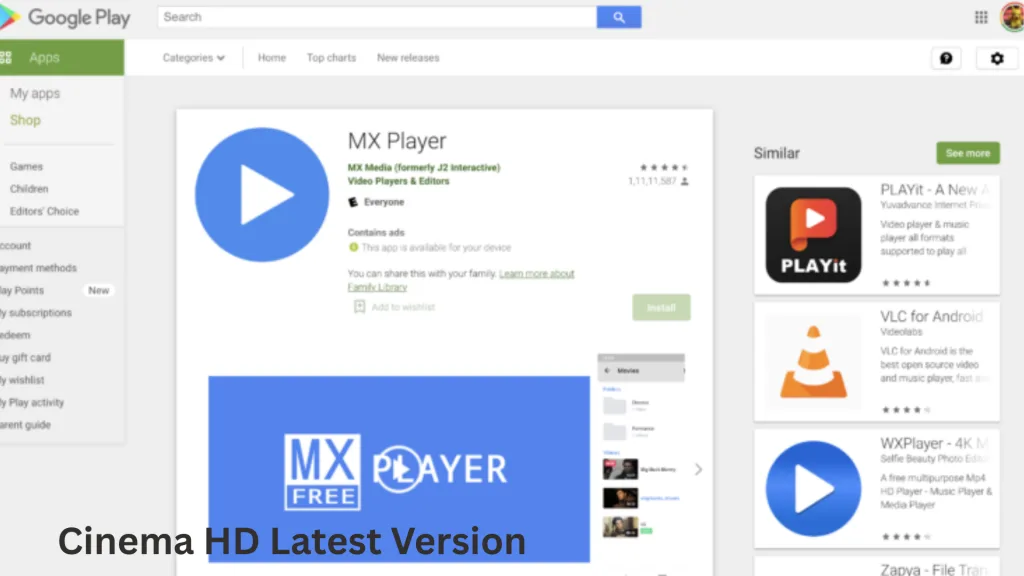
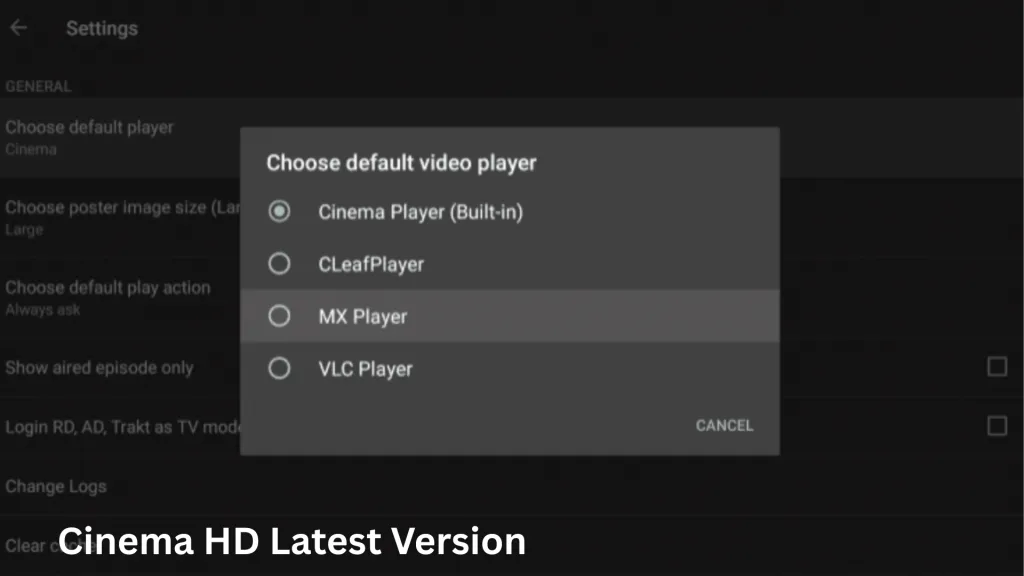
The Cinema HD is a fantastic tool for streaming movies and shows, but when it comes to adding subtitles, the app does not directly support manual integration. However, there’s an easy way to add subtitles manually using MX Player. In this guide, we will walk you through the process of downloading and adding subtitles, fixing subtitle loading issues, syncing subtitles, and customizing subtitle settings for the best viewing experience.
Adding External Subtitles Using MX Player
Currently, the app doesn’t allow you to add subtitles directly. Therefore, you need to use an external player to stream the movie and add subtitles manually. Here’s how you can do it:
How to Solve Cinema HD Subtitles not Loading
Sometimes, you might experience issues with Cinema hd Subtitles Not Loading
There could be a few reasons behind this, and here’s how to solve it:
In case you’re using a Smart TV or other device, check out guides like “Install Cinema HD on Smart TV” to learn how to use subtitles effectively.
How to Fix Sync Subtitle for a Movie in Cinema HD
If you’re using MX Player to stream movies from Cinema HD and the subtitles are out of sync, don’t worry! You can easily fix this with the synchronization feature in MX Player. Follow these steps:
This feature ensures that even if subtitles are slightly delayed or ahead of the video, you can easily adjust them for a seamless viewing experience.
Customizing Subtitle Font, Size, and Language on Cinema HD
When you watch movies on a large screen, it’s essential to ensure that the subtitles are easy to read. This application allows you to customize the subtitle font, size, and language to enhance readability. Here’s how you can adjust these settings:
Customizing your subtitle settings ensures that they are legible, especially when watching on large screens from a distance.
Table of Contents
Conclusion
Now that you know how to add external subtitles, fix subtitle loading issues, sync subtitles, and customize subtitle settings on the Cinema HD app, you can enjoy a flawless movie watching experience. Whether you’re streaming on your phone or on a bigger screen, these steps will ensure your subtitles are always perfectly synced and readable. Happy streaming, and enjoy your enhanced Cinema HD experience!
How to Install Cinema HD on Mac – Complete Guide Cinema HD for Android Alternatives